No Wi-Fi? Stay in the conversation.
Bluetooth mesh messaging is built to work without an internet connection. Other nearby peers can help a message travel further.
 BitChat Desktop
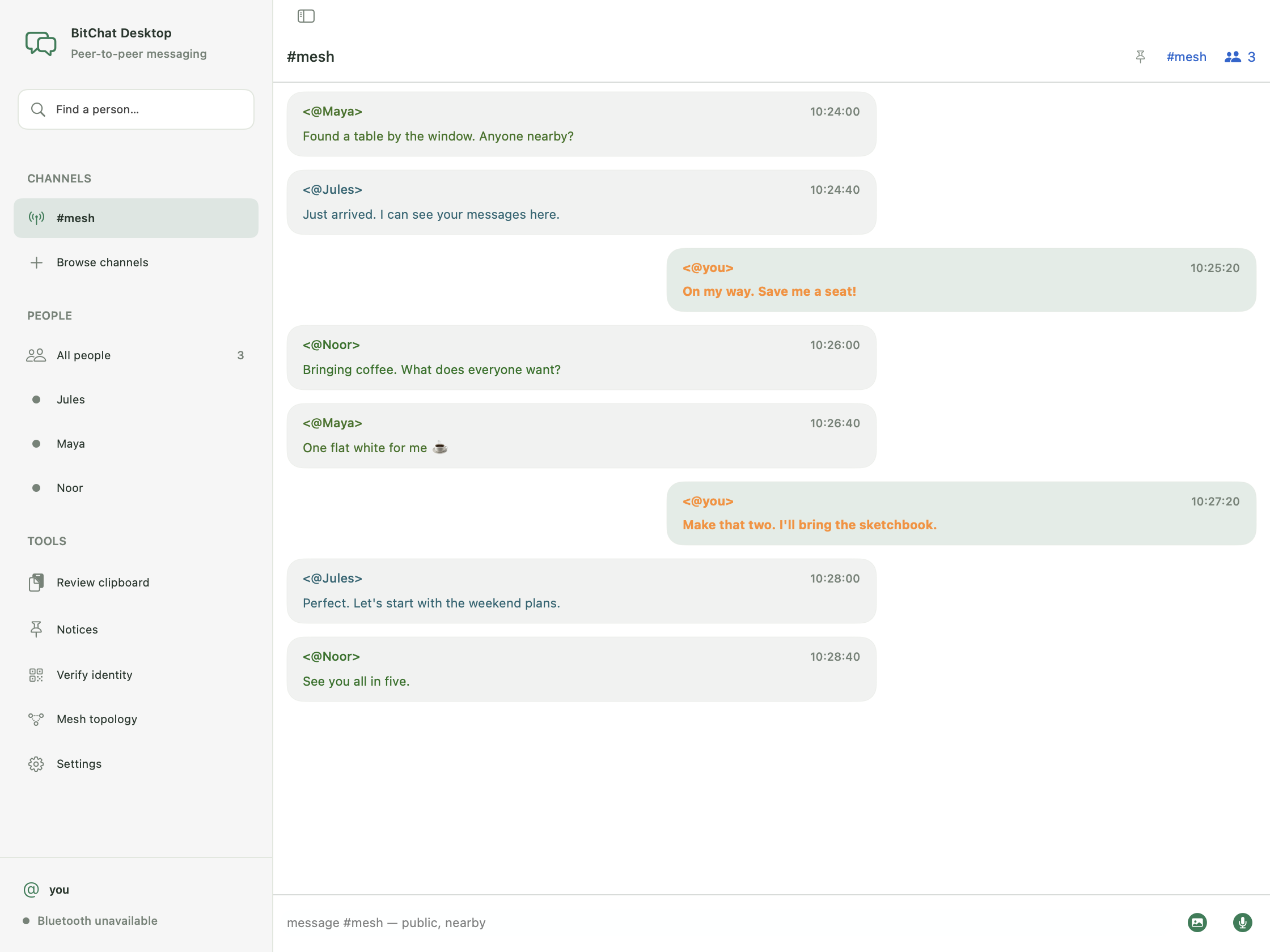
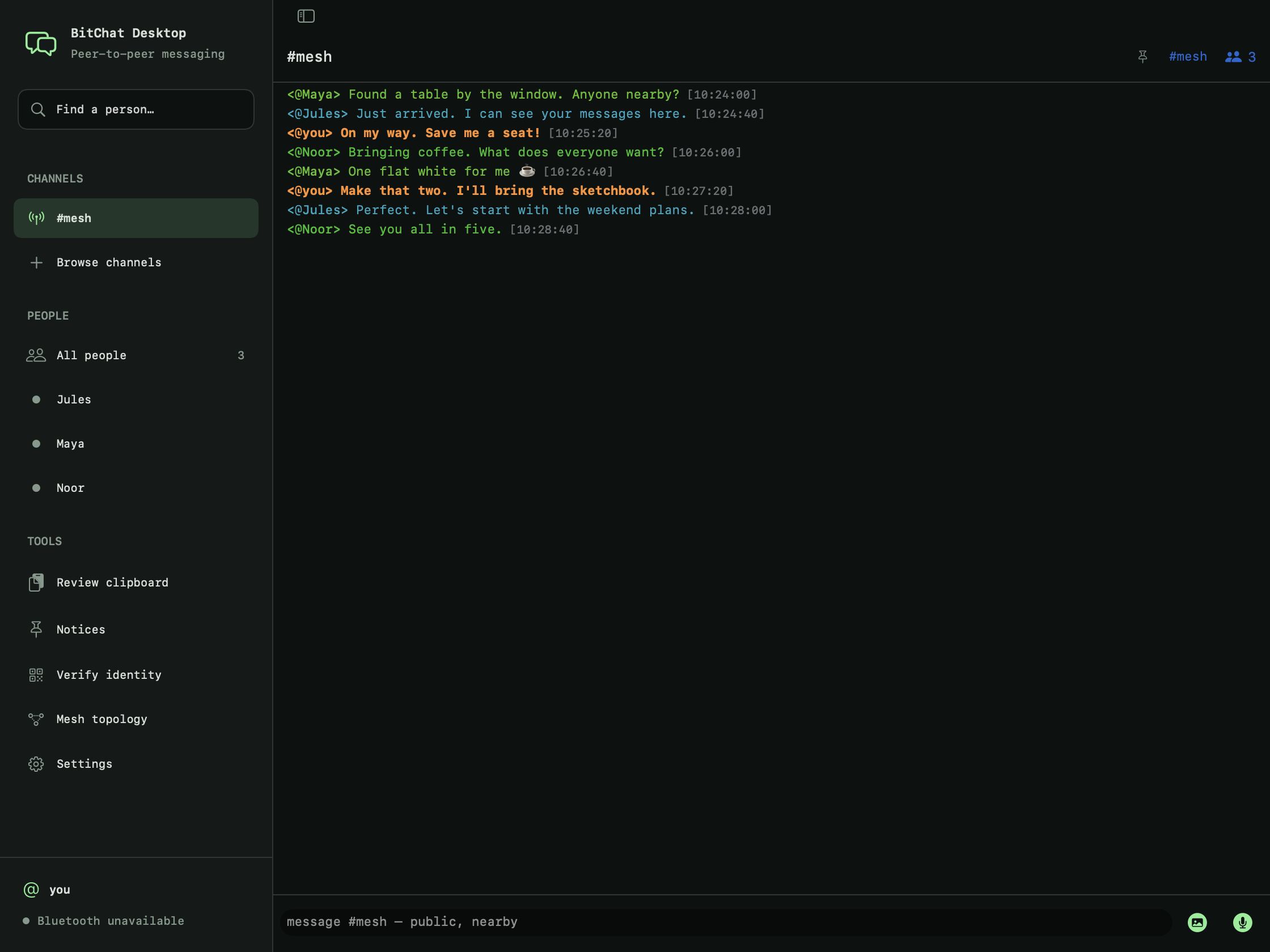
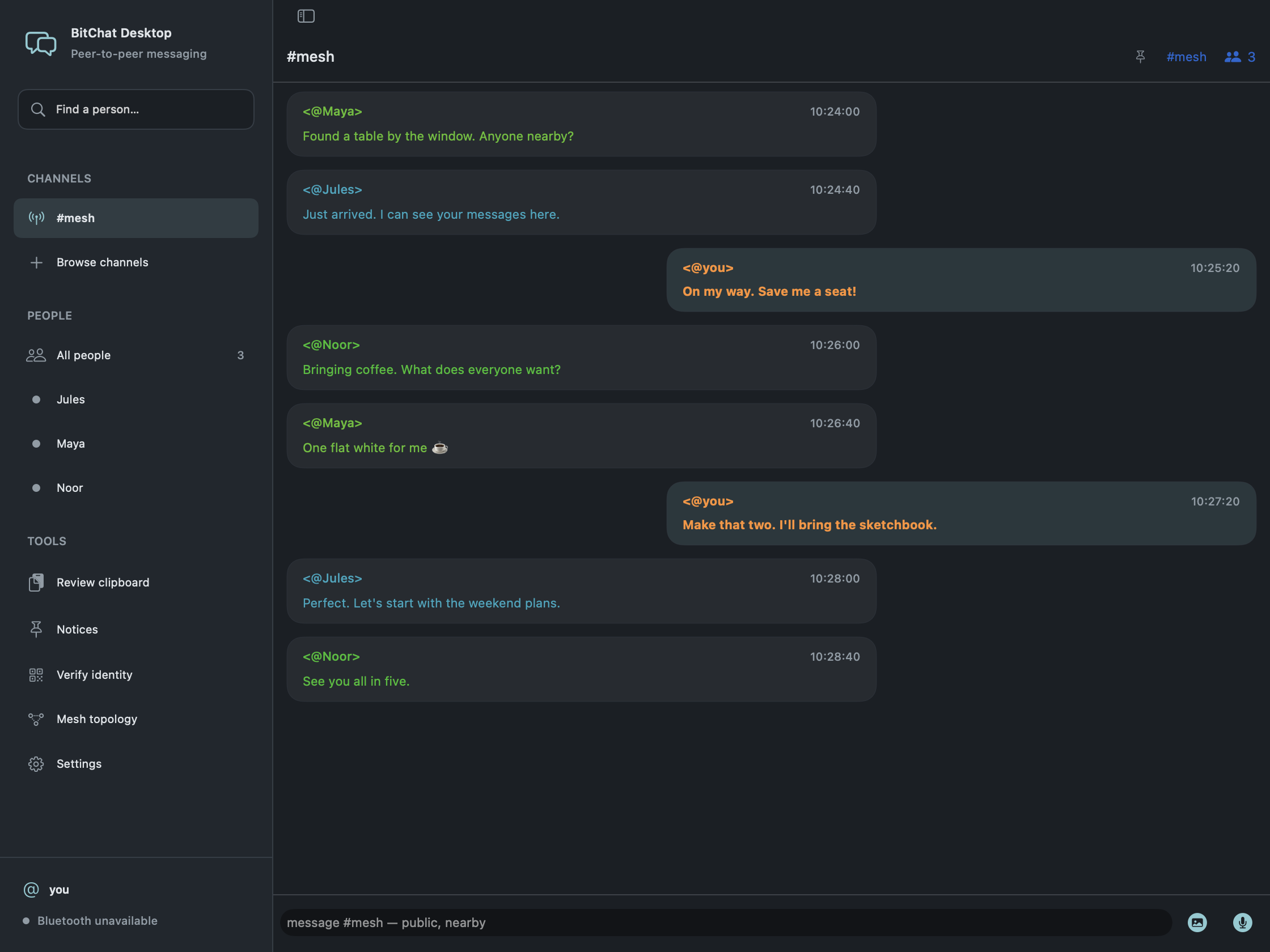
 BitChat, with room to breathe. A native desktop app for conversations nearby — and a little further afield.
GOOD CONVERSATIONS FIND A WAY
On a train. At a meetup. Somewhere the Wi-Fi isn't.
Nearby devices can connect over Bluetooth and relay messages through the mesh.
A DESKTOP APP THAT BELONGS HERE
No bundled browser. No extra ceremony. Just native controls, a proper sidebar, and space for the conversation.
Take a closer lookCompressed macOS early-preview DMG.
Apple silicon. No bundled Chromium.
Choose Bubble or Terminal chat in Settings. Then pick a theme that feels like you.
Peer details and QR verification put identity checks within reach. Private messaging uses upstream Bitchat encryption.
No account to create. Open source under the Unlicense. Read the code, report a bug, or make it your own.
The macOS early preview is here.
Help us shape what comes next.
Apple silicon · macOS 13+ · v0.1.0-preview.1
Download for macOSZIP alternativeRelease notes & checksums
Ad-hoc signed. Not notarized by Apple. Review the first-open instructions before installing. This is preview software; features and compatibility are still being tested.
A native app is on the roadmap.
Built for the desktop, from the start.
A FEW THINGS TO KNOW
No. BitChat Desktop is an independent, open-source project by Youhana Sheriff, following the work of permissionlesstech/bitchat. It brings a desktop-focused experience to that foundation and is not an official upstream release.
The Bluetooth mesh transport is designed for nearby communication without internet access. It needs compatible, available Bluetooth hardware and other peers within reach. Nostr location channels use the internet. Real-device interoperability testing for this desktop preview is still underway.
The current download is for Apple silicon Macs. Windows and Linux implementations are planned; downloads are not available yet. See the release notes for the exact requirements and tested systems.
Open the downloaded DMG and drag BitChat Desktop into Applications. Eject the disk image, then launch the app from Applications. This preview is ad-hoc signed and is not notarized by Apple, so macOS may block its first launch.
If you trust the download, open System Settings → Privacy & Security and use Open Anyway for this specific app. Follow Apple's confirmation prompts. See Apple's guidance and the release notes. Do not disable system-wide security settings.
Yes. They are captures of the native macOS interface with fictitious sample conversations. The sample messages illustrate the UI, not a verified live mesh session. Bubble and Terminal layouts and the themes shown are implemented in the app.
Try the preview, share reproducible issues, help test real devices, or contribute to the code and platform work. Issues and contributions are welcome. There is no account or mailing list required to download the app.
Built in the open.
Better with you in it.